Project planning in Flowstate
Keep a website relaunch plan beside its research, design notes and files. Use Tasks to review actions and Timeline to review dates.
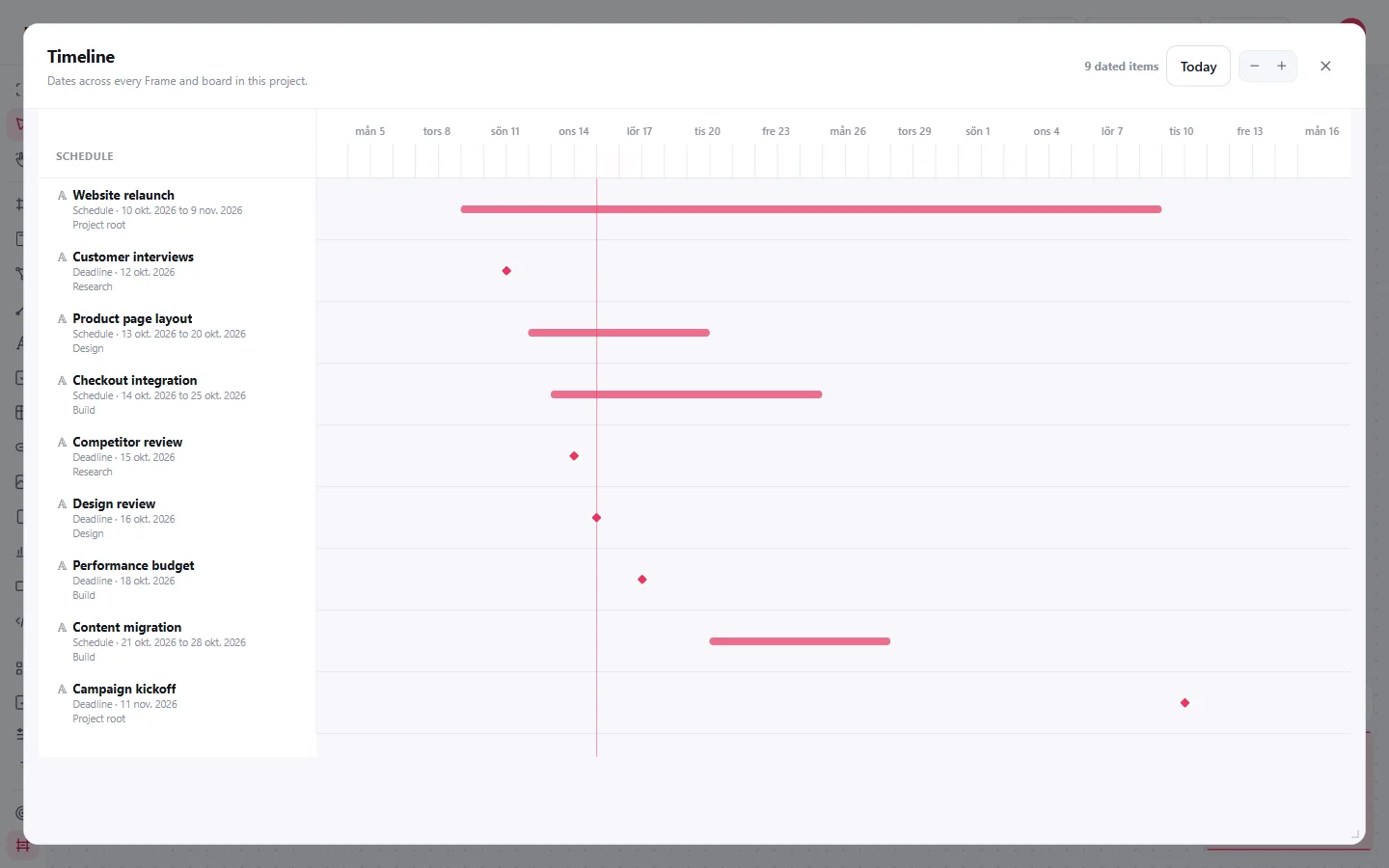
Example: take a relaunch from plan to launch
- Create Frames for Research, Design and Build on the root Board.
- Add work inside each Frame: customer interviews, page layouts and checkout integration.
- Give dated work a deadline or schedule in Properties. Add status, priority and tags where useful.
- Create a Launch checklist with Test checkout, Check links and Publish the site.
- Open Tasks to review unfinished work. Open Timeline to see how the dates line up.
Both views use the saved Project objects. You do not need a separate copy of the plan for every view.
Review what needs attention
Filter Tasks by status, priority, due date or tag. Open a result to return to its Board. On a phone, Today groups overdue work, today's work and the next seven days.
Timeline displays the dates you set. Moving a connected object does not reschedule its neighbours, and an undated object has no position on the timeline.
Work with other people
The owner can invite viewers or editors. Editors change the shared content; owner-only settings and sharing remain with the owner. Watch the save state when working offline or resolving a conflict.
Keep a copy
The owner can export the Project as a Flowstate ZIP with attached files. PDF exports a visual copy of the current Board; open a nested Board separately if you also need its PDF.
Start a Project. For a repeatable checklist, continue to the Workflow example. See Tasks and dates for short answers.